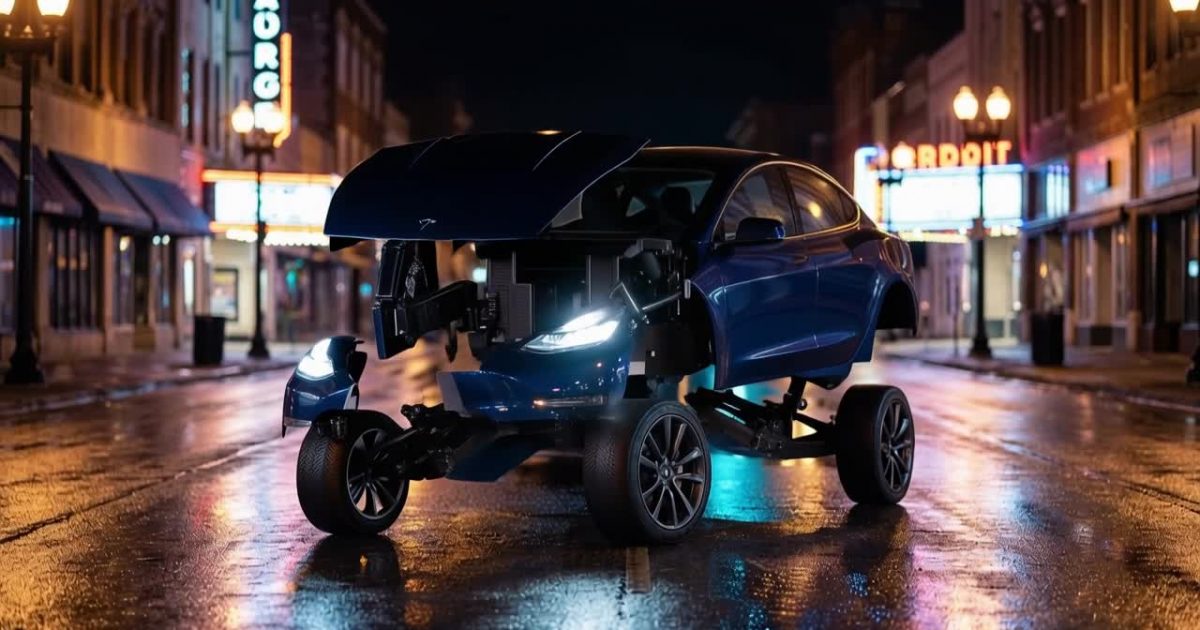
This Car Robot Transformation Runway Gen 4.5 Prompt turns a parked midnight-blue coupe into an original robot in one readable five-second shot. It is built for the short-form car-to-robot trend, where the before state matters as much as the final reveal.
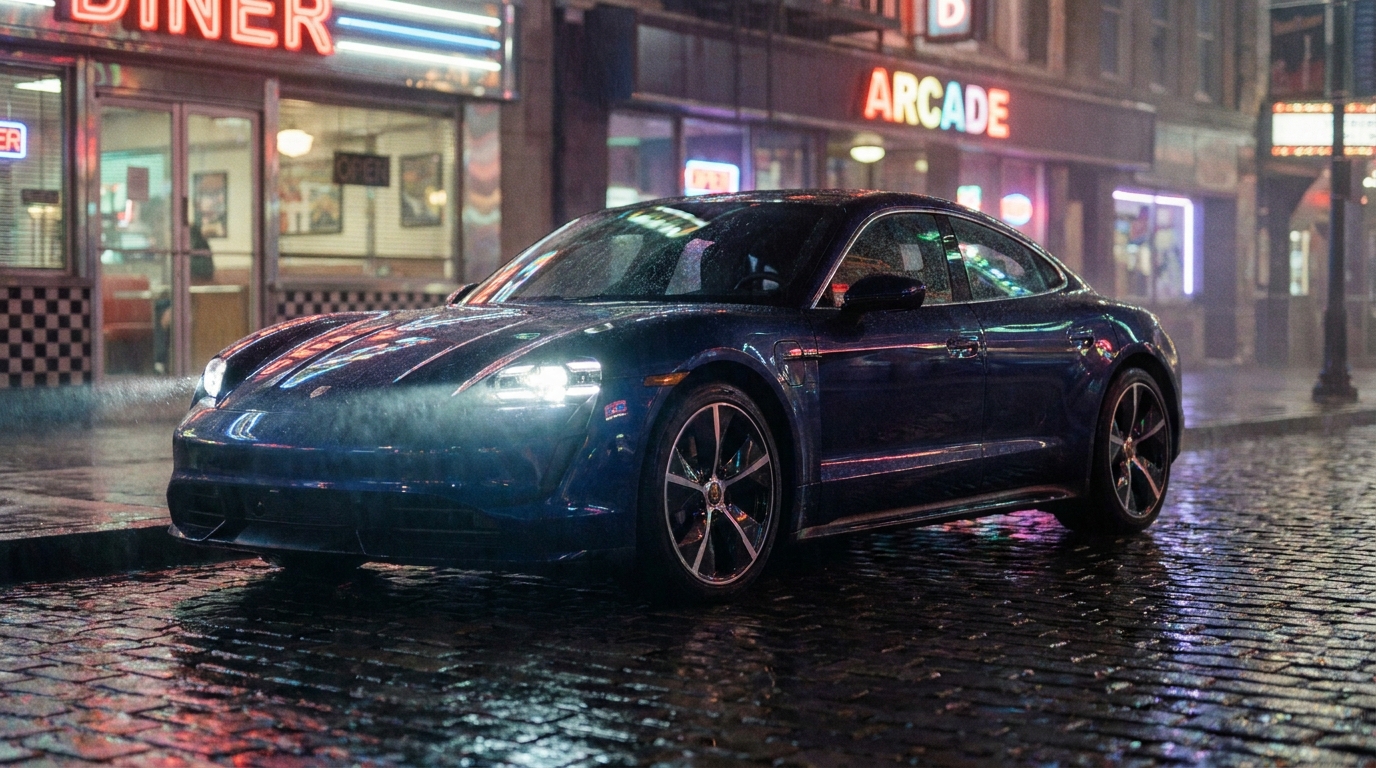
What the car-to-robot trend is
The car-to-robot trend is a compact visual promise. A recognisable vehicle appears in a real setting, then its own panels become a tall mechanical figure. The satisfying part is not just seeing a robot. It is seeing where that robot came from. Viewers should be able to trace the blue hood, doors, roof, wheels, headlamps, and bodywork through the movement.
That is why this format works well on a rain-slick street. The glossy pavement reflects the headlights and keeps the composition grounded while the car changes shape. A three-quarter view also gives the clip useful evidence: the front fascia, side panels, roofline, and wheel assemblies are all visible before the unfold begins. A profile shot can look stylish, but it hides too much of the car’s identity.
The strongest clips use an original robot, not a named character or brand cue. The vehicle supplies the design language. A low coupe produces a lean silhouette. A rally hatchback can suggest a chunkier frame with fenders and a spoiler. A taxi can lead to a more upright, industrial result. The details in the first frame give the model material to carry forward.
Car Robot Transformation Runway Gen 4.5 Prompt
The exact prompt used for the clip
Locked-off cinematic 16:9 shot. Use the supplied image as the exact first frame: the complete midnight-blue sports coupe remains clearly visible, stationary, and unchanged for the opening 1.5 seconds. Then over the remaining 3.5 seconds the hood, doors, roof, wheel assemblies, and body panels unfold mechanically into a tall original robot. Preserve the same blue paint, headlamps, wet rain-slick street, perspective, and lighting. The transformation is continuous, precise, and fully visible; no cutaway, no early robot, no camera reframing, no text, no logos.Settings: Runway Gen 4.5, first-frame image (generated with Google Nano Banana Pro, 16:9 1K, a bright full-car three-quarter street shot), 16:9, 5 seconds, content moderation low, seed 3346.
How the prompt is built
The prompt starts by fixing the camera and declaring the supplied image to be the exact first frame. That wording does two jobs. It tells Runway Gen 4.5 to begin from the provided coupe rather than inventing a new opening scene, and it removes camera motion before the transformation has started. The car remains the subject instead of becoming a quick establishing shot.
Next comes the timing. The first 1.5 seconds belong to the unchanged car. The remaining 3.5 seconds belong to the unfold. This is a simple sequence, but the order matters. The prompt does not ask the model to decide when to reveal the robot. It defines a still beat, then a single mechanical action. That makes the five-second runtime do one clear thing.
The middle names the components that need to move: hood, doors, roof, wheel assemblies, and body panels. Those nouns make the action physical. “Unfold mechanically” is more useful here than a vague request to morph because it asks the clip to show connected parts separating and repositioning. The robot should feel assembled from the coupe, not swapped in over it.
The final sentence protects continuity. Blue paint, headlamps, street surface, perspective, and lighting are all visible markers that link the opening car to the finished figure. The exclusions matter too. No cutaway prevents a jump to a different shot. No early robot stops the reveal from arriving before the viewer has read the car. No camera reframing protects the composition. No text and no logos reduce unstable lettering and accidental branding.
Why the unchanged car hold works
The trick that makes this trend readable is the combination of the first-frame image and the timed hold. The first-frame image pins the car: it gives Runway Gen 4.5 a definite coupe, camera angle, wet street, headlamp placement, and lighting to begin with. The opening 1.5 seconds then leave that car unchanged. Viewers have time to see what is about to transform.
Without that pause, a fast effect clip can open on a partial robot or jump straight to the finished robot. That may look dramatic, but it does not show the trend. The audience has no clean before state, so there is no satisfying link between the vehicle and the character. An effect model that jumps straight to the finished robot skips the entire visual idea.
The 1.5/3.5 split also keeps the reveal honest. In five seconds, the hold takes roughly one third of the clip. That is long enough for recognition and short enough to avoid dead air. Once the panels move, the viewer can connect the hood, doors, wheels, and roof to the robot’s larger form. The locked camera lets that connection happen in the same part of the frame.
This structure is useful beyond this exact car. Start with a complete, well-lit vehicle. Leave headroom above it. Hold it still. Then give the model one continuous transform and a short list of features to preserve. Extra motion, an orbiting camera, a chase, or an explosion only compete with the point of the clip.
Settings and what each one changes
| Setting | Value | What it changes |
|---|---|---|
| Model | Runway Gen 4.5 | Handles the image-to-video sequence, including the held opening and timed mechanical action. |
| First-frame image | Google Nano Banana Pro, 16:9 1K | Supplies the full-car three-quarter street composition that anchors the clip. |
| Aspect ratio | 16:9 | Leaves width for the street and vertical space above the coupe for the robot to stand. |
| Duration | 5 seconds | Creates room for the 1.5-second car hold and the 3.5-second transformation. |
| Content moderation | Low | Matches the selected setting for this fictional, non-graphic scene. |
| Seed | 3346 | Records the generation setup for repeatable experiments. |
The first-frame image has the biggest effect on whether the car keeps its identity. Use a bright full-car shot, not a dark silhouette, cropped bumper, or traffic-obscured vehicle. The three-quarter street composition works because it reveals several useful parts at once. It also gives the finished robot enough vertical space without forcing a camera move.
Use 16:9 when the location is part of the appeal. The rain-slick road and reflections have room to breathe, while the coupe can sit low in frame before rising. Five seconds is enough for one event. It is not enough for a transform, a landing, a turn to camera, and a chase. Keep the action narrow.
Variations to try
Different car and city
Replace the midnight-blue coupe with a white rally hatchback on a dawn mountain pass, then preserve its wide fenders, mud-spattered paint, roof scoop, and rear spoiler. Or use a black taxi beside a rainy London-style street, keeping the boxy roofline and headlamps visible. Change the city light and weather, but retain the exact-first-frame instruction and the unchanged opening hold.
Slower reveal
If a longer duration is available, make an eight-second version. Hold the complete car for two seconds, then allow six seconds for the components to unlock in stages. Ask for hood and doors first, wheel assemblies second, and roof and torso last. A slower reveal gives each mechanical connection more time on screen. It does not fix a weak first image, so begin with the same full-car composition.
Tighter framing
For a more intense version, use a closer three-quarter framing that still includes the whole coupe and clear space above the roof. Keep the headlamps and at least two wheels visible. Tighter framing makes the panel detail feel larger, but crop too far and the viewer loses the before state. The car must remain complete before it can become anything else.
Common mistakes in car-to-robot clips
- The clip starts on the robot: Put the supplied image and the 1.5-second unchanged-car instruction first. If the opening image already contains a robot, the transformation is lost.
- The car loses its identity: Preserve the paint, headlamps, body panels, wheels, street perspective, and lighting. A generic “sports car” offers too little to carry into the robot.
- Text or logos appear: Keep “no text, no logos” in the prompt. Avoid branded car names and signage-heavy images that can turn into broken lettering during motion.
- The camera reframes: Ask for a locked-off shot and explicitly say “no camera reframing.” A new angle can make the final robot feel like a separate shot.
- Too many events compete: Do not combine the unfold with a chase, crowd reaction, explosion, or weather shift. The viewer should watch one continuous action.
More Runway Gen 4.5 prompts
Browse the Runway Gen 4.5 Prompts category for more video ideas. This format works best when the supplied frame is treated as a promise: show the car clearly, hold it long enough to register, then let the robot emerge in full view.
Run this prompt yourself
Paste the prompt, add a clear first-frame image, and keep the transformation to one visible move.


