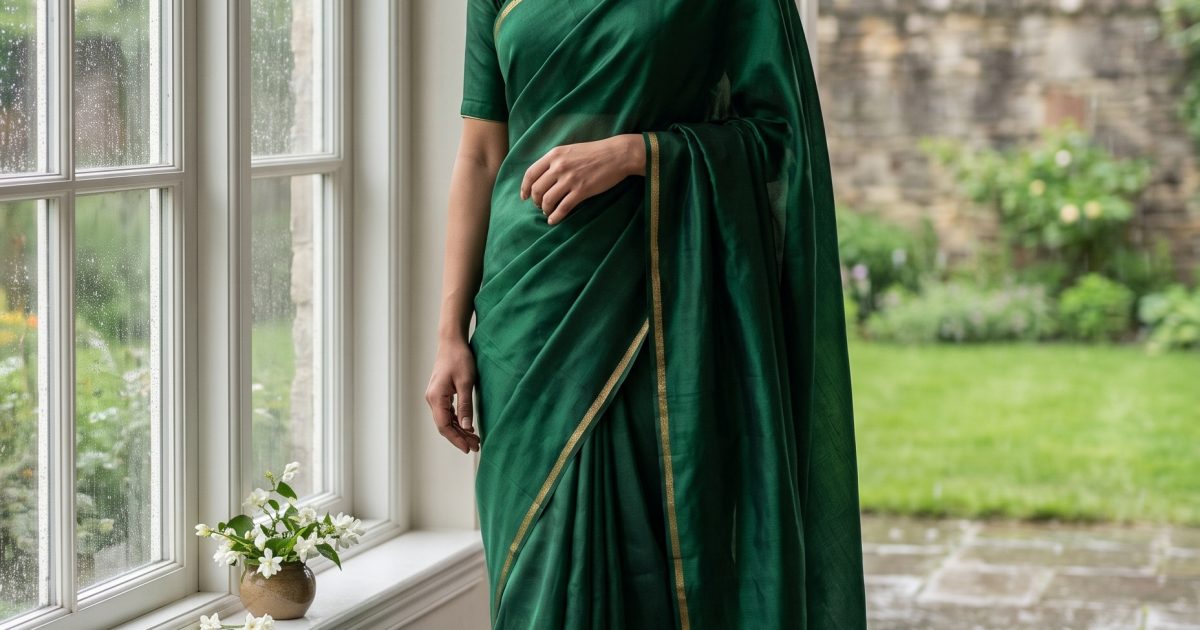
This monsoon saree Gemini AI photo prompt turns a plain generated studio portrait into a rain-lit fashion image while keeping the subject consistent.
Before and after
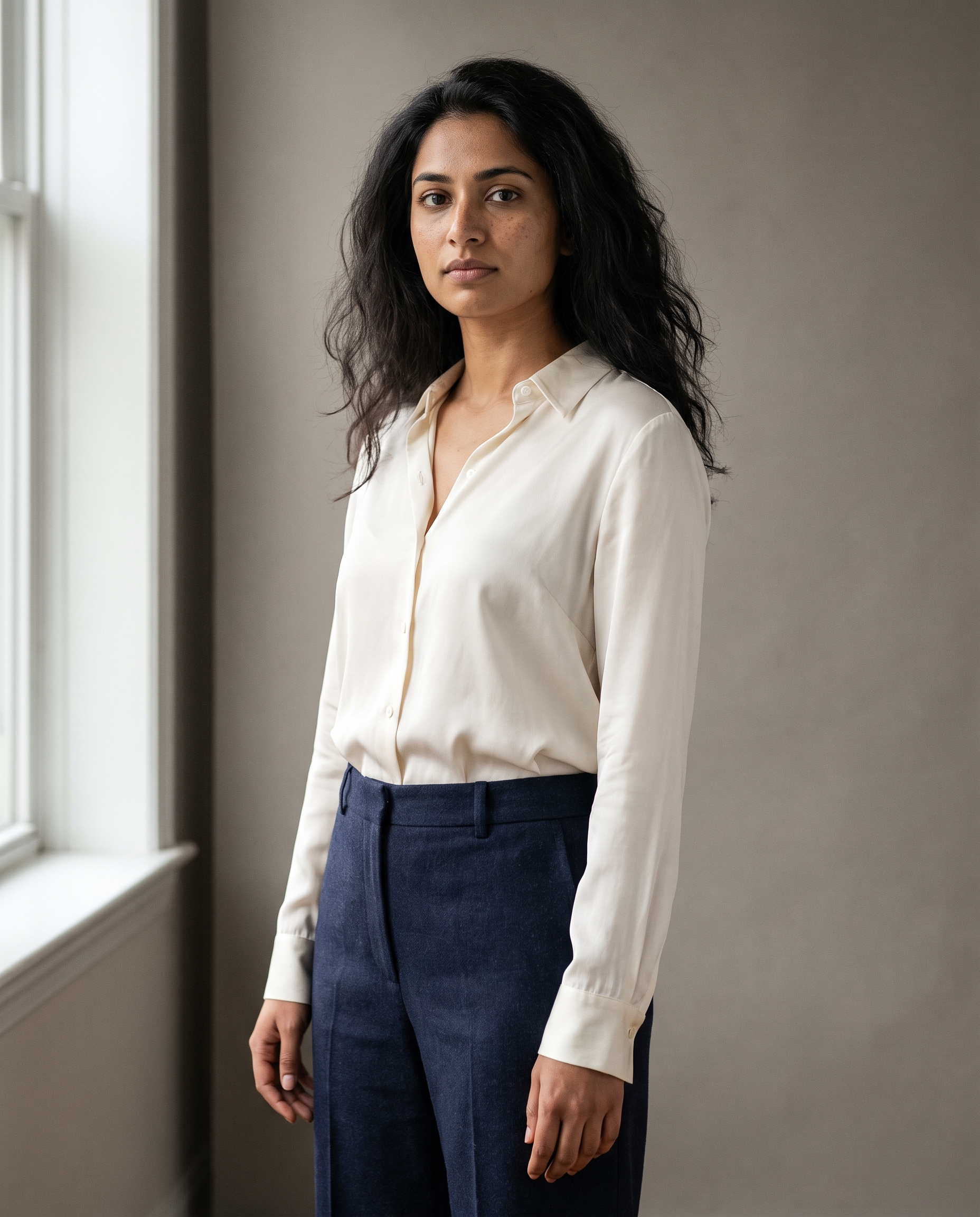
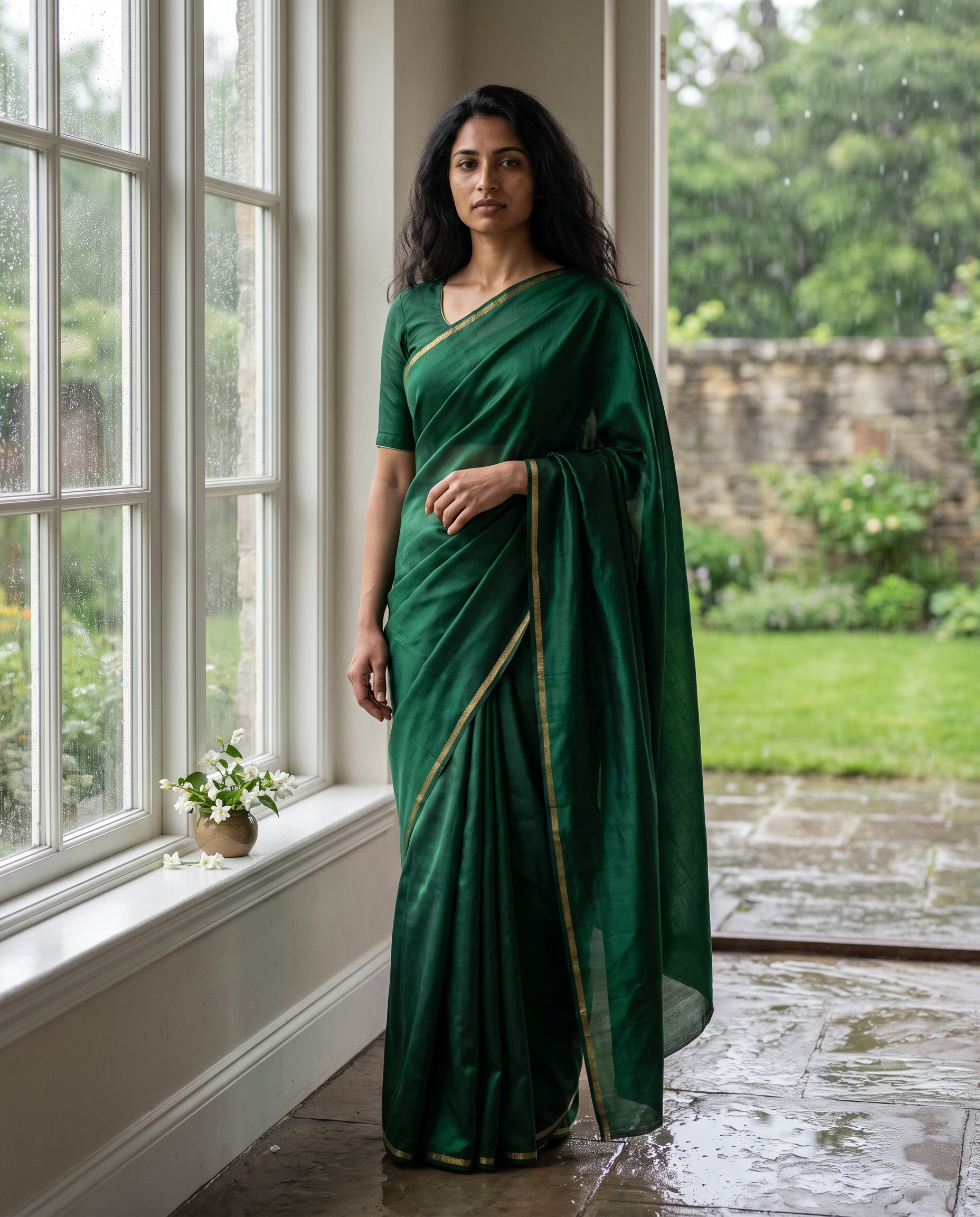
Monsoon saree Gemini AI photo prompt
Edit the input portrait into a monsoon saree editorial. Keep her face, pose, body proportions and natural skin texture unchanged. Dress her in a deep emerald silk saree with a fine gold border and a matching blouse. Place her beside a rain-speckled heritage window with soft overcast daylight, wet stone floor, restrained jasmine flowers, cinematic 85mm fashion photography, realistic fabric folds, no text or logos.Identity comes first, so the model has a stable person before it changes wardrobe and location. The rain, wet stone and soft window light build a credible monsoon scene. Naming the gold border and fabric folds gives the saree structure.
Variations
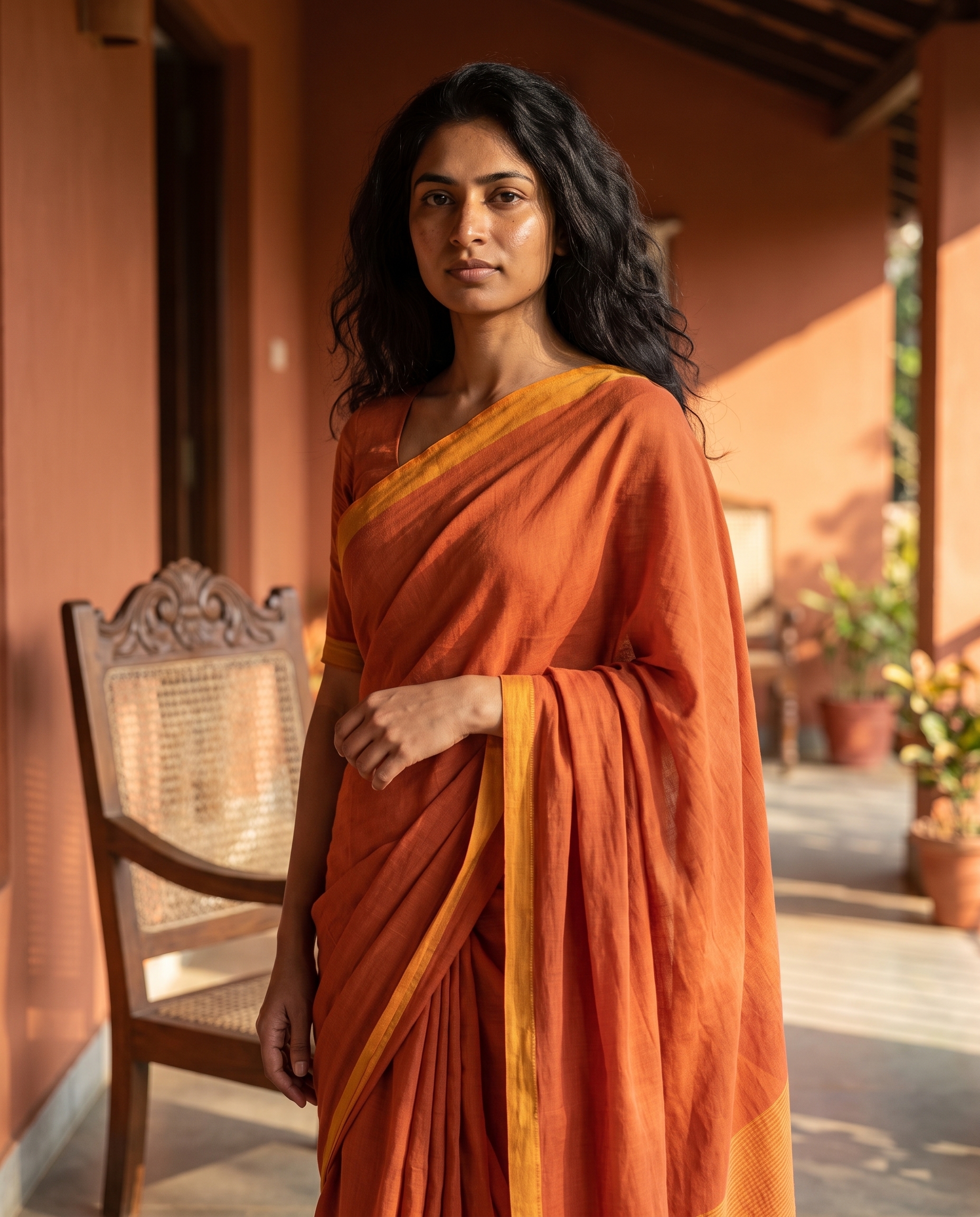
Edit the input portrait into a saffron cotton saree look on a quiet sunlit veranda. Preserve her identity, pose and skin texture. Add a subtle marigold-colored border, terracotta walls, a carved wooden chair and warm late-afternoon light. Photorealistic editorial portrait, 50mm lens, natural fabric detail, no text or logos.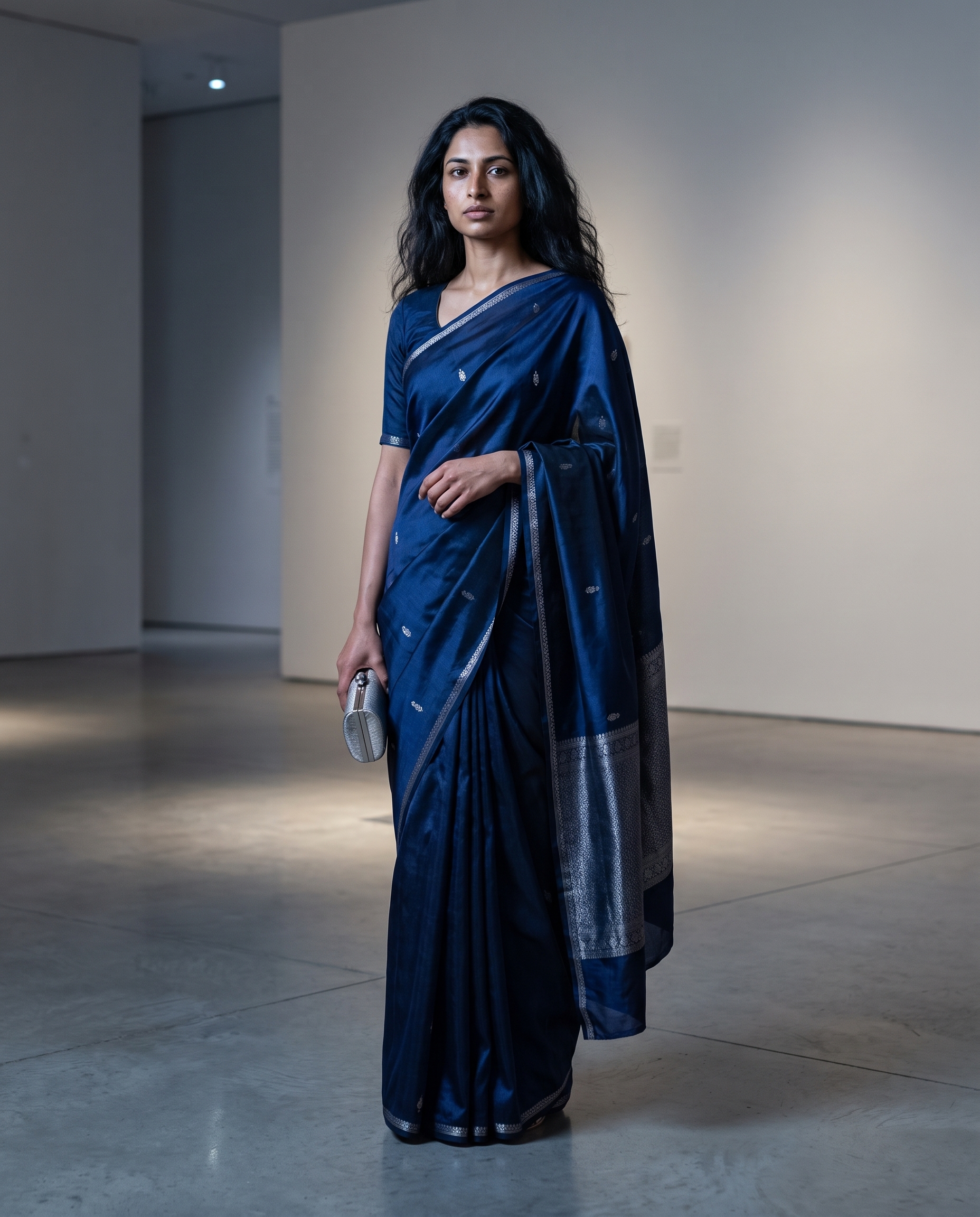
Edit the input portrait into a midnight-blue silk saree portrait in a minimally styled museum gallery. Preserve her identity, pose and natural skin texture. Add cool gallery spotlights, polished stone, a small silver clutch and quiet editorial contrast. Photorealistic 85mm portrait, clean color grading, no text or logos.Why this Monsoon Saree Gemini AI Photo prompt works
- Identity rules lead the edit.
- Textile details define the wardrobe.
- Weather uses physical cues.
- 4:5 preserves the full styling.
More Gemini AI Photo prompts
Browse Gemini AI Photo Prompts. For new images without an input, see Nano Banana Pro Prompts. Google documents image editing in its official guide.
Run this prompt yourself
Every example above was generated on Wiro. Paste the prompt, pick the model, and get your own result.



3 Comments