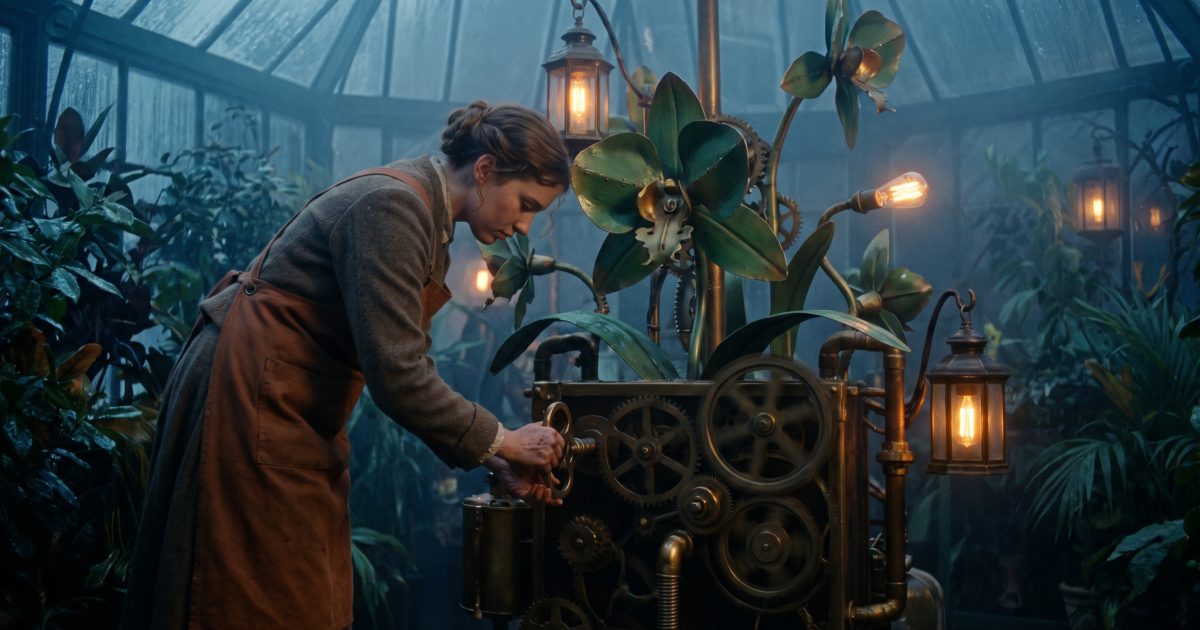
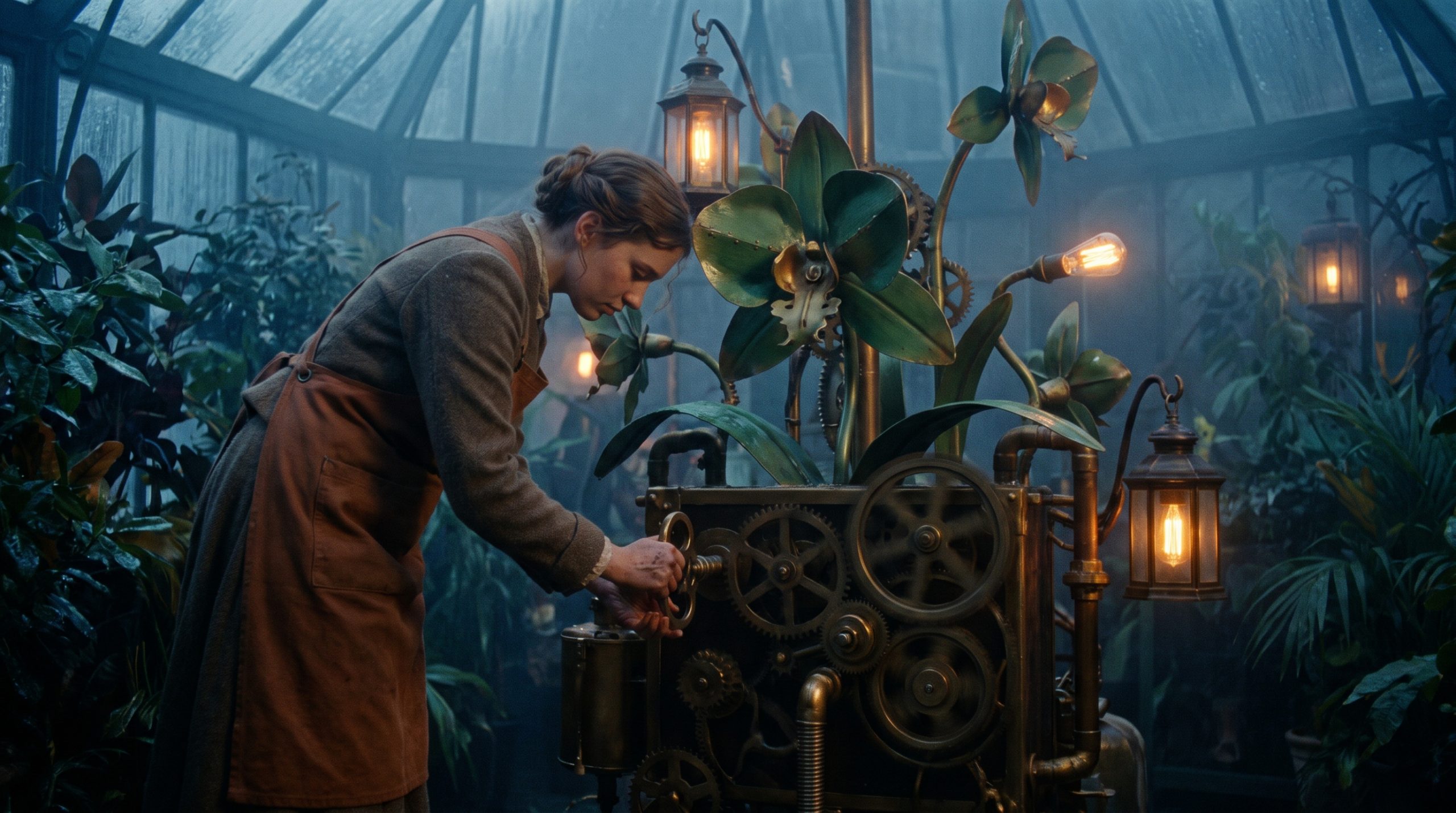
The Clockwork Conservatory Wan 2.7 Prompt turns a still glasshouse scene into a calm five-second reveal. It starts with a botanist, a brass key, and one oversized mechanical orchid. The important choice is a single action: turn the key, then let the flower wake up. That gives the camera a clear reason to move forward.
Clockwork Conservatory Wan 2.7 Prompt
Use the supplied first frame for image-to-video. The frame fixes the setting, wardrobe, and orchid design before motion begins. Wan 2.7 can then spend its short duration on raindrops, gears, hands, and the forward dolly instead of inventing the scene from scratch.
First frame
Main example
Start on the brass key in the botanists hand, then make one unbroken slow dolly through the rain-soaked Victorian glass conservatory. The clockwork orchid opens petal by petal as its inner gears rotate; droplets tremble on each leaf and amber lamps come alive in the blue-hour mist. Keep the botanist centered, preserve the rust-red apron and natural finger motion. Cinematic 35mm, realistic physics, soft mechanical clicks and distant rain. No captions, no text.Settings: Alibaba Wan 2.7, image-to-video, 5 seconds, 720P, first-frame input, prompt extend off, watermark off.
Variations
Entrance crane variation
The same blue-hour glass conservatory, but begin wide at the entrance and crane gently down toward the giant clockwork orchid. The botanist turns the brass key, then steps back as glowing pollen rises in a small spiral under the glass roof. Hold the rust-red apron, realistic hands and the warm amber lamps. Cinematic 35mm film motion, rain on glass, quiet gears and rain ambience. No captions, no text.Settings: Alibaba Wan 2.7, image-to-video, 5 seconds, 720P, same first-frame input, prompt extend off, watermark off.
Why this Clockwork Conservatory Wan 2.7 Prompt works
- The first frame gives the conservatory a stable layout before the motion starts.
- One visible trigger, the key turn, keeps the action readable in five seconds.
- The camera direction is simple: one slow dolly with no cut.
- Specific continuity notes protect the red apron, brass key, and orchid.
- The negative prompt calls out common short-video failures around text and hands.
Keep the action count low when testing a short clip. A key turn, opening petals, and a slow push are enough. Adding a walk, a costume change, and a second scene would make the clip less reliable. The variation proves that the same setup can support a wider crane shot without changing the subject.
Shot planning notes
Build the source image as if it were a production still. Give the subject a simple stance, leave space in front of the camera, and place the moving prop near the center. The glass roof and lamp reflections do useful work because they provide depth without demanding new story beats. A short prompt can mention every important visual anchor: blue-hour mist, warm lamps, brass key, red apron, and the orchid.
For a closer result, start at the key and ask for the forward dolly. For more environment, use the crane variation. Both clips keep the timing manageable: the key turns first, the petals open next, then the pollen catches the light. That sequence gives the video a beginning, middle, and finish without a cut. It also makes repeat runs easier to compare.
Keep the prompt extend setting off when testing camera language. The written camera instruction stays visible and easier to tune. If the hands distort, simplify the key action before changing the entire idea. If the camera rushes, remove extra motion words and retain only slow dolly. Small edits make this scene more repeatable than adding visual decoration.
More Wan 2.7 prompts
Browse the full Wan 2.7 Prompts collection for more clips. For related night-and-place ideas, see Rainy Record Store Wan 2.7 Prompt, Midnight Flower Press Wan 2.7 Prompt, and Moonlit Tea Delivery Wan 2.7 Prompt. For another approach to camera-led clips, visit Veo 3.1 Prompts.
The model maker’s documentation: Wan 2.7 docs on Alibaba Cloud Model Studio.
Run this prompt yourself
Every example above was generated on Wiro. Paste the prompt, pick the model, and get your own result.