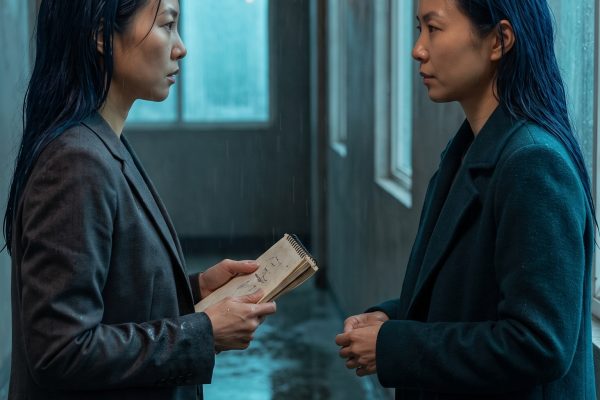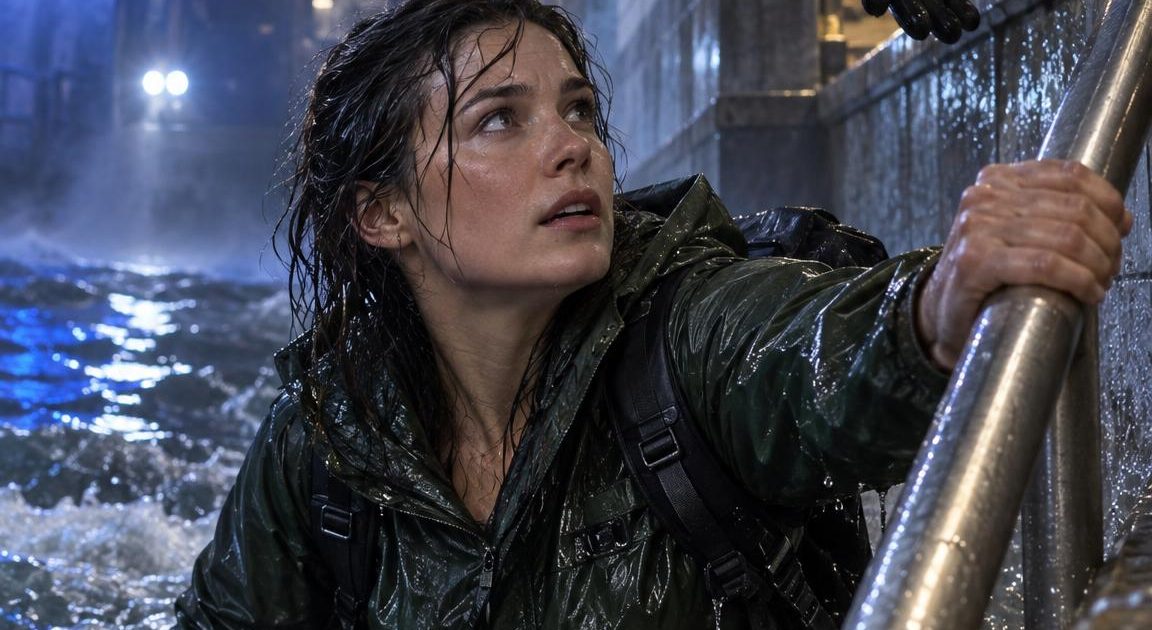
This Flooded Subway Rescue Wan 3.0 Prime R2V Prompt turns a portrait into a tense five-second escape sequence with a recognizable lead character. Use it for the AI rescue-scene trend when a still photo needs a clear action, a real sense of danger, and a finish that feels earned.
What this AI rescue scene trend is
The trend drops a creator into an impossible rescue moment: fire, floodwater, a collapsing route, or another fast-moving emergency. The appeal is the contrast between an ordinary portrait and a movie-scale situation. A viral rescue reel posted on September 18 shows the format applied to different characters and scenarios. Watch the AI Viral Rescue Trend reel on Instagram.
For this version, the rescue happens in a flooded subway. The still establishes the face, jacket, and location. Then Wan 3.0 Prime R2V on Wiro uses that image as Image 1, so the character has an anchor before the camera and water start moving.
Main flooded subway escape
Use Image 1 as the identity and wardrobe reference. In a flooded underground subway, the same woman fights through chest-high water toward an emergency worker on the stair landing. She grabs the worker hand, then both climb the final steps as a train tunnel light flickers behind them. Realistic wet fabric and skin, blue emergency lamps, drifting steam, water splashing toward the lens. One continuous urgent handheld shot, 35mm documentary camera, natural motion, no captions, no logos.Settings: Alibaba Wan 3.0 Prime R2V, image-to-video with one portrait reference, 9:16, 720P, 5 seconds, audio off, prompt extension off, seed 184729.
Why the flooded subway rescue prompt works
- It names Image 1 twice: once for identity and once for wardrobe. That gives the model a firm subject reference instead of asking it to invent a new face.
- The action has a simple path. Water, handrail, responder, stairs. Each beat gives the clip somewhere to go.
- Blue emergency lamps and steam add drama without competing with the face.
- The 35mm handheld direction suits a rescue scene. It feels close and urgent rather than like a locked-off surveillance shot.
- The ending lands on the stairs, which gives the five-second clip a small but complete payoff.
Variations
Rescue rope exit
Use Image 1 as the identity and wardrobe reference. The same woman moves through a flooded subway concourse with an emergency responder beside her. A red rescue rope leads them through waist-high water toward a bright exit. The camera tracks backward at shoulder height, then makes a tight close-up as she exhales and reaches the dry platform. Rainwater drips from her jacket, warning lights pulse across wet tile, believable physics and restrained handheld movement, no captions, no logos.Settings: Alibaba Wan 3.0 Prime R2V, image-to-video with one portrait reference, 9:16, 720P, 5 seconds, audio off, prompt extension off, seed 184730.
How to keep the rescue character consistent
Start with a vertical portrait that already contains the clothing and expression needed for the scene. A plain headshot can work, but a full or three-quarter body image gives the model more information about the outfit and pose. Avoid sunglasses, busy logos, and hands that cover the face. In this test, a dark commuter jacket, backpack, and tense expression made the transition from still image to flood scene easier to read.
Keep the motion brief. Five seconds is enough for one clear rescue beat. Trying to add a cave-in, a chase, a helicopter, and a reunion can dilute the subject. If the face drifts, reduce the list of actions before changing the camera direction. A single camera move also helps. Here, the handheld shot stays with the subject from the water to the stairwell.
For a different version, keep the same reference image and replace only the hazard. A smoke-filled hotel corridor, a stormy ferry deck, or an elevator evacuation can preserve the creator while changing the story. This gives the trend more replay value than repeating the same flooded-tunnel clip.
More Wan 3.0 Prime R2V prompts
Browse more clips in Wan 3.0 Prime R2V Prompts. For another reference-led character effect, try Two Versions of Yourself Wan 3.0 Prime R2V Prompt. For another cinematic video category, see Seedance 2.5 Prompts.
Run this prompt yourself
Every example above was generated on Wiro. Paste the prompt, pick the model, and get your own result.