This Coastal Postcard Gemini AI Photo Prompt turns a plain studio portrait into a bright Mediterranean travel image when a quick holiday-style update is needed.
Coastal Postcard Gemini AI Photo Prompt Before and After
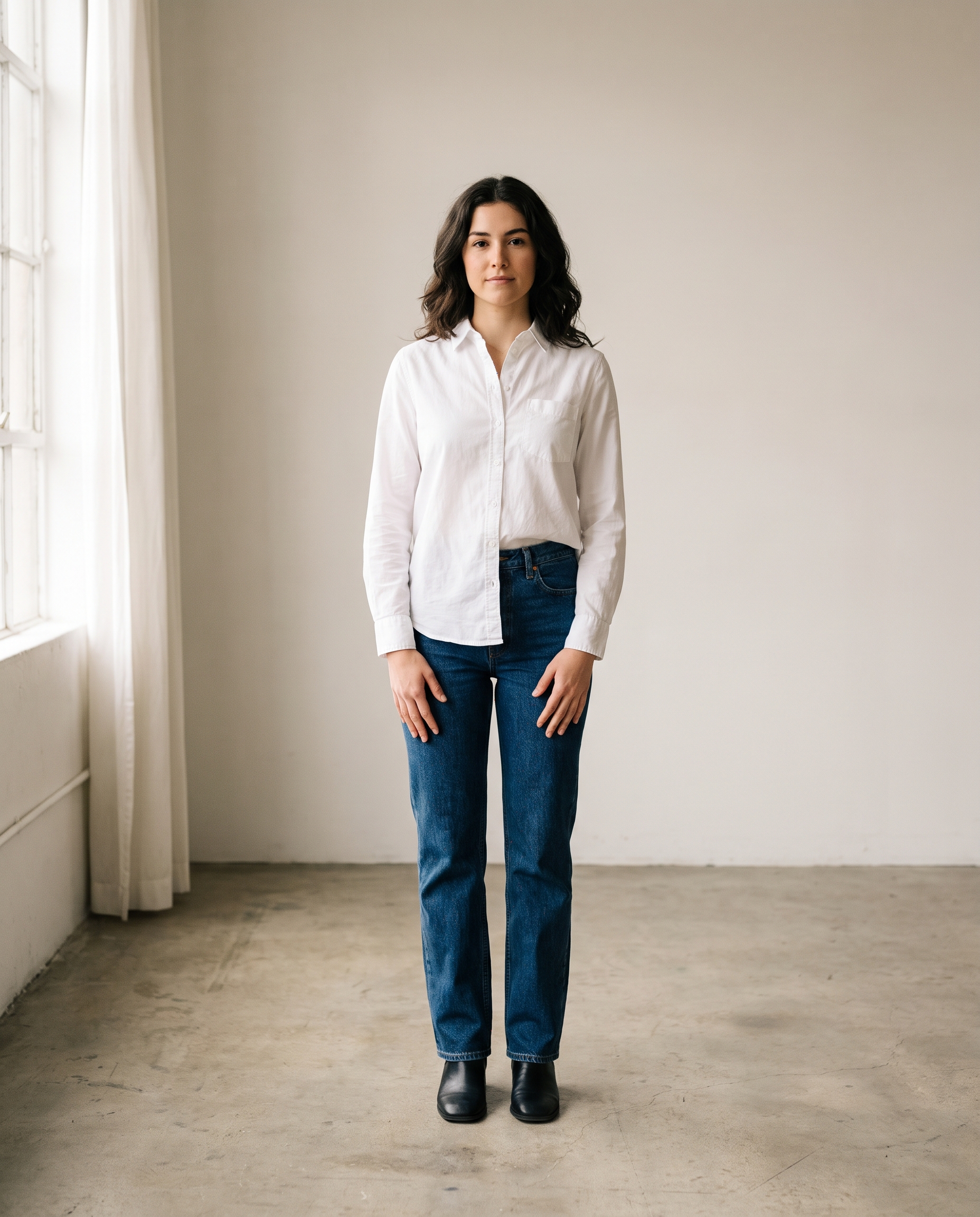
The starting portrait is deliberately simple: clean clothes, open hands, even light, and no busy background. That gives the editor clear edges around hair, fingers, and clothing. The final instruction changes the location and wardrobe while asking it to preserve the person. Use a portrait with similar framing for the most reliable result.
Before
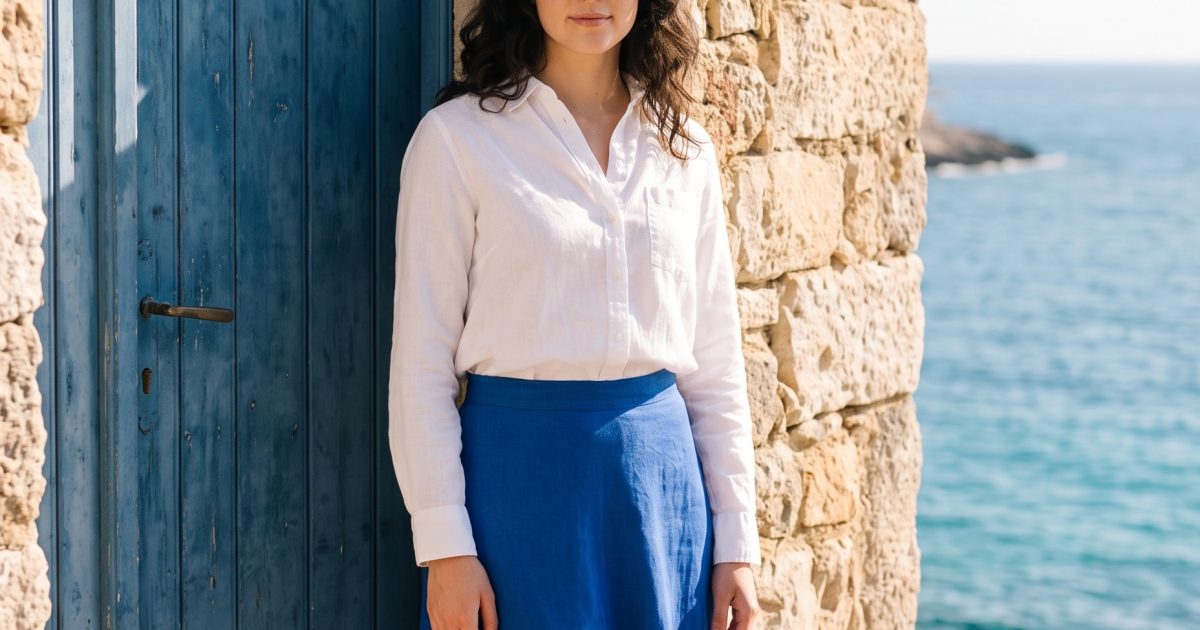
After: Mediterranean Doorway
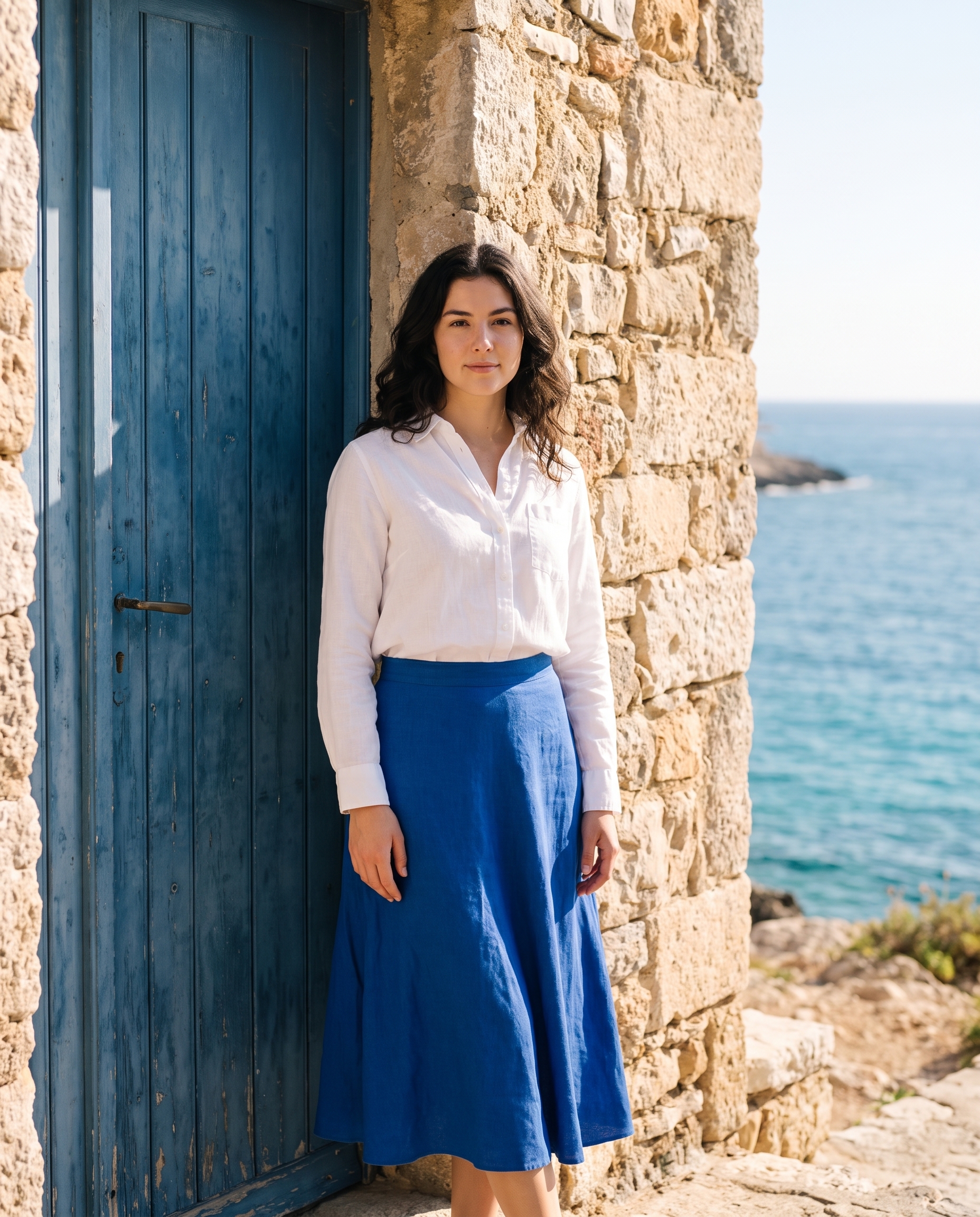
Edit the input portrait into a sunlit Mediterranean coastal travel portrait. Keep her face, expression, body proportions, hairstyle and natural skin texture unchanged. Dress her in a white linen shirt and cobalt midi skirt, standing beside a weathered blue door with a glimpse of sea behind her. Bright late-morning light, clean 35mm travel editorial, believable fabric and stone texture, natural hands, no text or logos.Settings: Google Nano Banana Pro, image-to-image, 4:5, 2K, safety OFF. Input image: the Before portrait above.
Variations
Keep the identity-preservation line in place, then swap the setting, clothing, and light. The first variation softens the scene. The second keeps the sunny travel mood but changes the location and color story.
Sunrise Cafe
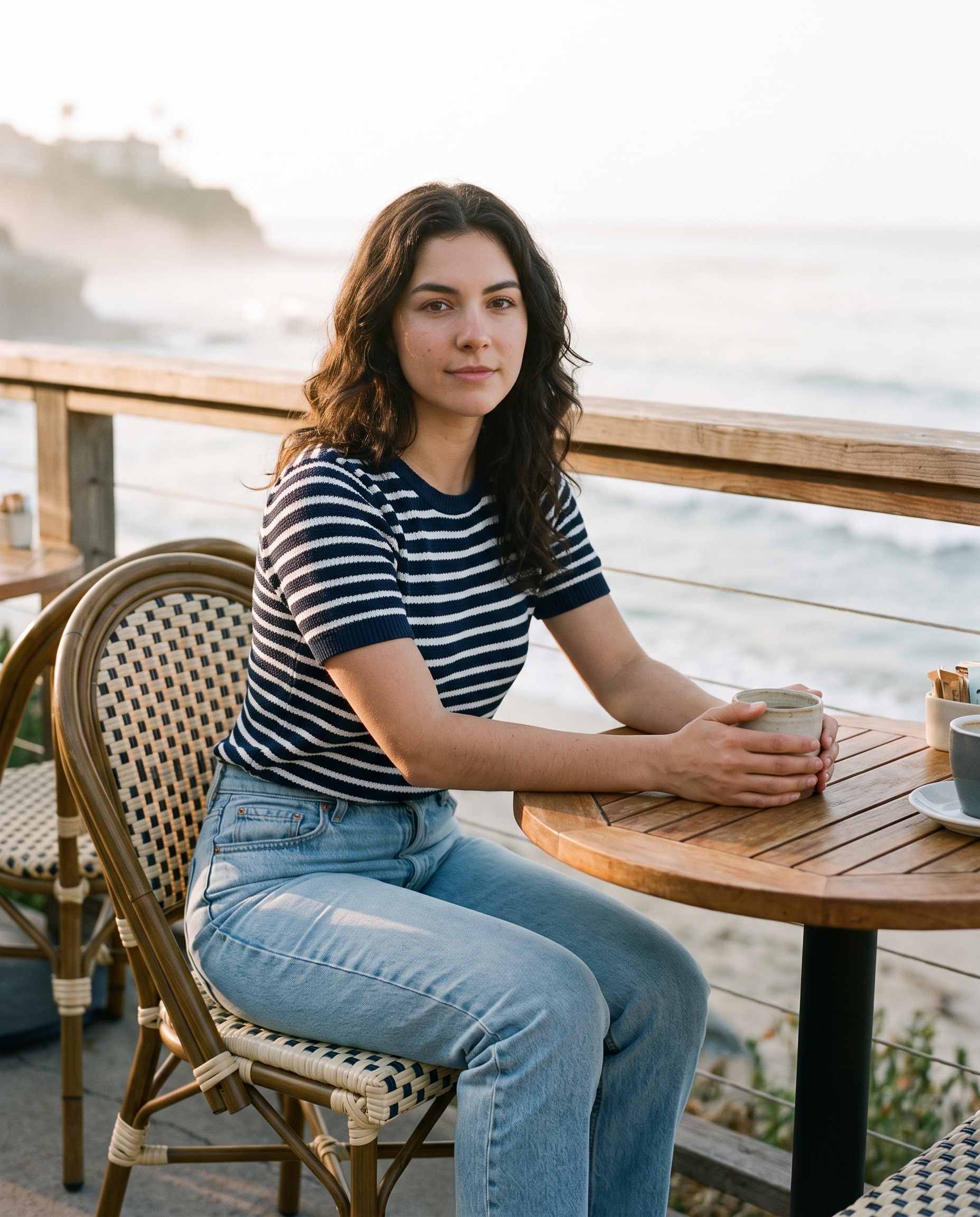
Edit the input portrait into a quiet coastal cafe portrait at sunrise. Keep her face, expression, body proportions, hairstyle and natural skin texture unchanged. Give her a striped knit top and light denim, seated at a small cafe table with a ceramic cup and sea mist beyond the rail. Soft peach dawn light, candid 50mm film photography, realistic hands and tableware, no text or logos.Settings: Google Nano Banana Pro, image-to-image, 4:5, 2K, safety OFF. Input image: the Before portrait above.
Rooftop Holiday
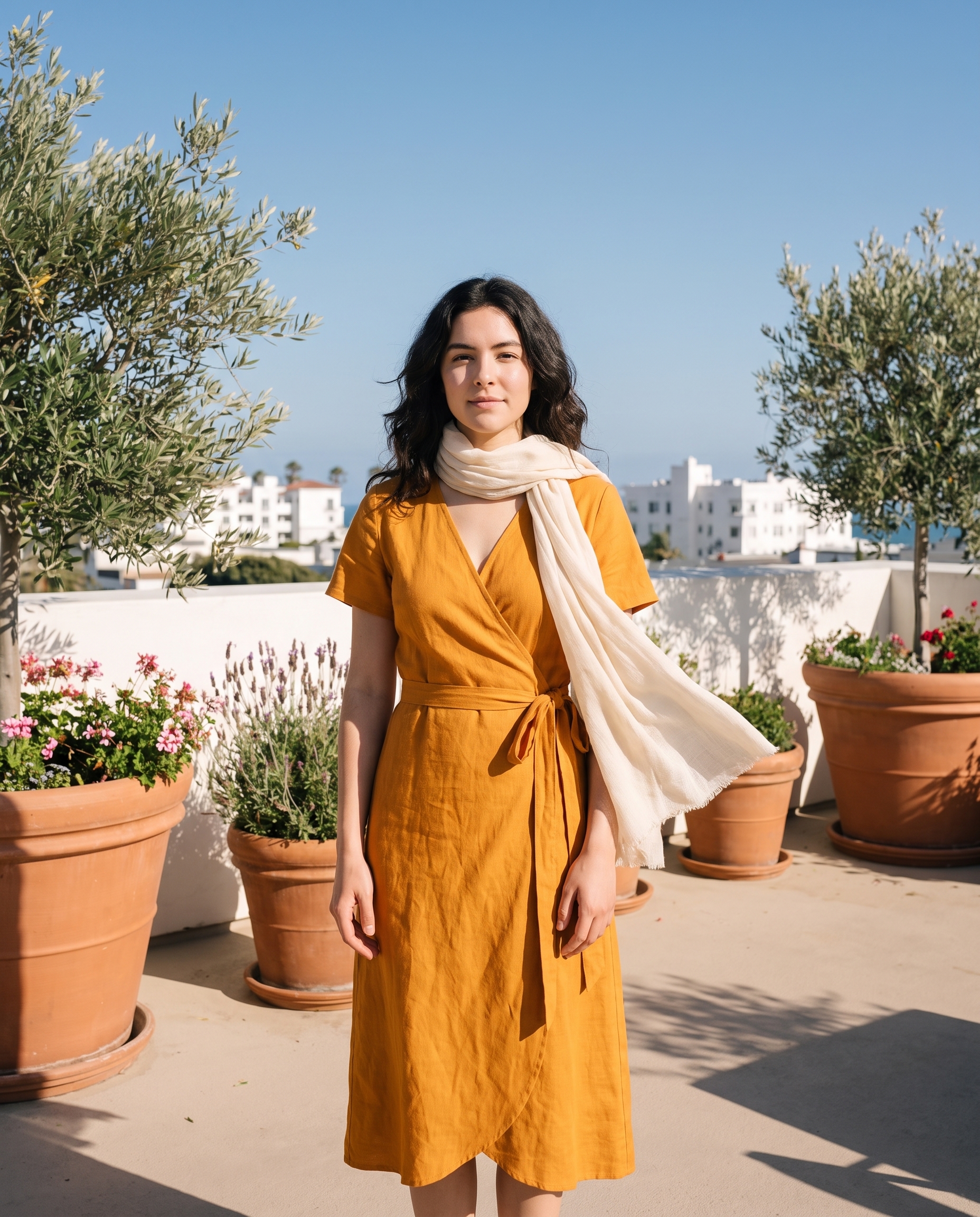
Edit the input portrait into a rooftop holiday postcard portrait. Keep her face, expression, body proportions, hairstyle and natural skin texture unchanged. Dress her in a saffron wrap dress with a light cream scarf, add terracotta planters and distant white coastal buildings. Clear afternoon sun, gentle wind in the scarf, 28mm lifestyle photography, crisp natural shadows, no text or logos.Settings: Google Nano Banana Pro, image-to-image, 4:5, 2K, safety OFF. Input image: the Before portrait above.
Why this Coastal Postcard Gemini AI Photo Prompt works
- It separates what must stay the same from what should change.
- It names a compact set of visual anchors: blue door, sea, linen, and stone.
- The lens and daylight direction give the edit a photographic target.
- Natural-hands language helps when the pose remains visible.
- The no-text request keeps signage and clothing clean for a listing cover.
Start with a sharp image and leave room around the subject. Nano Banana Pro works best here because the prompt does not ask it to guess the person and the scene at once. Google describes Gemini image generation and editing tools at its official image generation documentation.
How to tune the travel edit
Use the location details as a controlled palette, not a shopping list. A blue door and white buildings establish the Mediterranean cue quickly. Adding ten props usually makes the scene less dependable. If the first result changes the face too much, repeat the preservation sentence at the end and reduce the wardrobe changes. If it keeps the studio pose too closely, ask for one modest action, such as resting a hand on the doorway or looking toward the water.
Light carries much of the travel feeling. Late-morning sun gives this version crisp shadows and keeps the white shirt from looking gray. For a softer result, replace it with overcast coastal daylight and use muted blue and sand colors. Keep the 4:5 frame when the image is meant for a portrait feed or a vertical listing card. A 3:2 frame works better if the architecture needs more room around the person.
Check the small details before sharing an edit. Hands, hems, scarf edges, cups, and door hardware reveal whether the image holds together. A good edit should still look like a photograph of the original person, simply taken somewhere else. That is why the before image stays in the post: it makes the change easy to inspect rather than asking viewers to take the result on faith.
More Gemini AI photo prompts
Browse the full Gemini AI Photo Prompts collection for before-and-after edits. For a polished portrait, try Golden Hour Headshot. For a celebration scene, see Garden Birthday Portrait. For a moodier indoor look, use 90s Film Portrait. For a broader set of image ideas, visit Nano Banana Pro Prompts.
Run this prompt yourself
Every example above was generated on Wiro. Paste the prompt, pick the model, and get your own result.