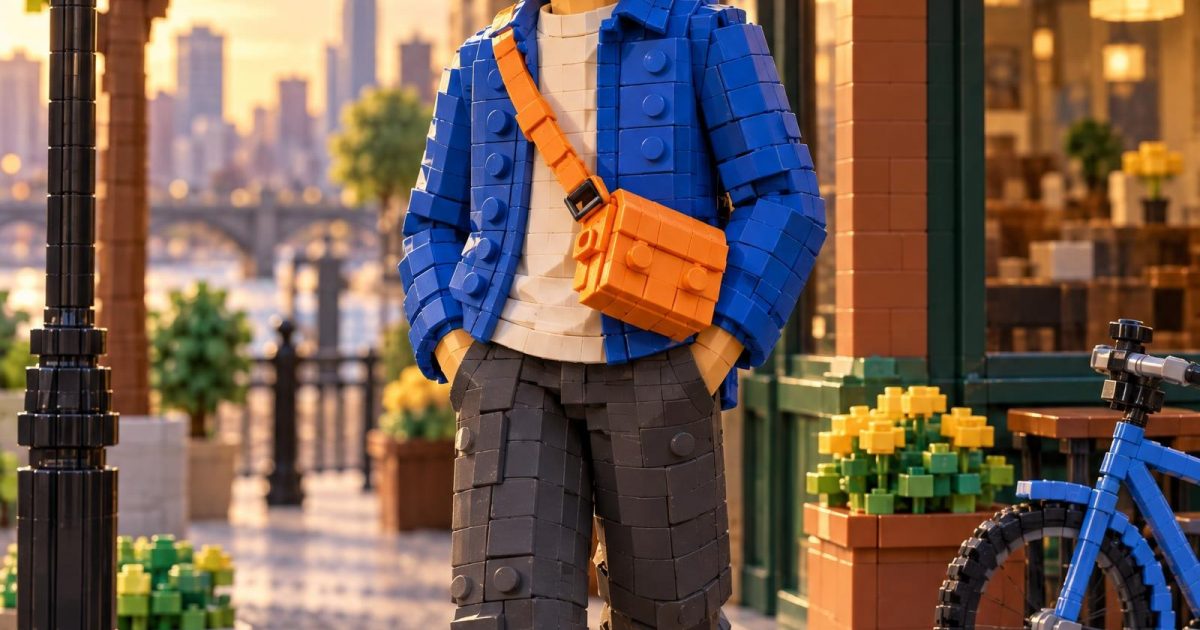
Lego World GPT Image 2.5 Prompt turns a portrait into a minifigure-scale city built from visible bricks. The recent effect has spread through short-form AI posts, where familiar people, rooms, and streets become toy-like scenes with studded surfaces and tiny architectural details. A September reel roundup lists Lego among the dominant visual effects, while fresh search results show creators sharing brick-world transformations.
This version keeps the subject readable before it adds the brick treatment. That matters. If the clothes, pose, and palette survive the conversion, the picture feels like a designed miniature rather than a random toy render. The output below uses a blue jacket, cream shirt, charcoal trousers, and an orange bag so the color matching has a clear job.
Why the Lego World GPT Image 2.5 Prompt works
The prompt gives GPT Image 2.5 a clear hierarchy: preserve portrait proportions first, then rebuild each surface as interlocking bricks. It also names small details that sell the effect, including seams, laces, pavement, a bicycle, and clouds. Those details stop the background from turning into a flat wall of plastic.
Portrait framing helps the character lead the scene. A 2:3 image leaves enough room for the built street corner without making the person too small. Late-afternoon light adds depth across the studs and keeps the plastic from looking dull. The request for no logos and no readable text also avoids accidental brand marks or broken signage.
Brick-Built Streetwear Portrait
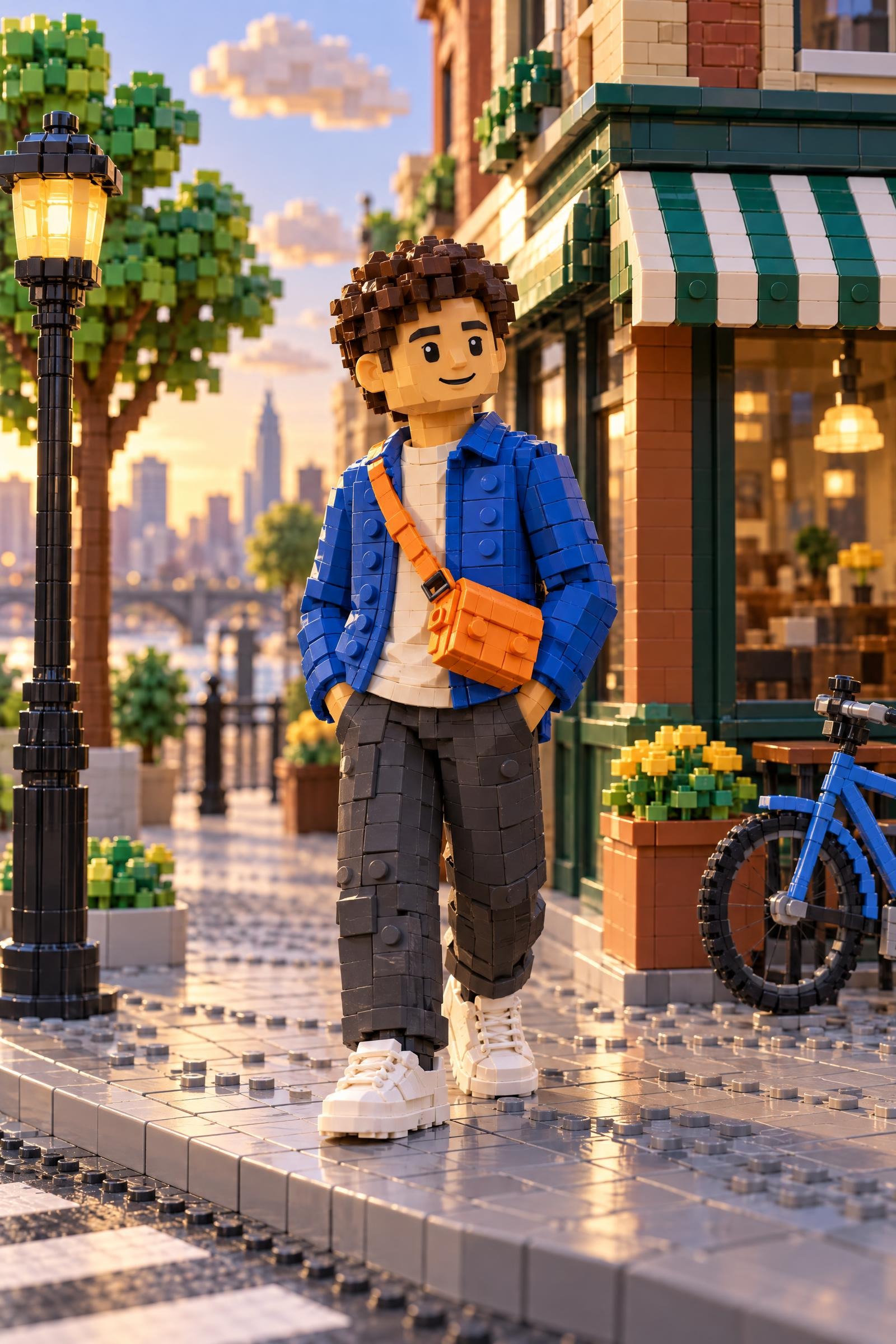
Create a polished vertical 2:3 portrait of an original adult streetwear creator reimagined as a minifigure-scale brick-built character inside a complete brick-built city corner. Match the character outfit with cobalt blue jacket, cream T-shirt, charcoal trousers, white sneakers, and a bright orange crossbody bag. Build the face, hair, hands, jacket seams, sneaker laces, pavement, trees, storefront awning, bicycle, and soft clouds from visible interlocking toy bricks and studs; retain believable human portrait proportions while making every surface clearly brick-built. Warm late-afternoon light, 50mm portrait framing, shallow depth of field, crisp plastic texture, cheerful editorial look, no logos, no readable text, no watermark.Settings: OpenAI GPT Image 2.5 Sunburst; 2:3 portrait ratio; 2K resolution; high quality; opaque background; JPEG output; one sample; low moderation.
How to adapt this Lego World GPT Image 2.5 Prompt
Start with colors before changing locations. Swap the blue jacket for the dominant colors in the reference outfit, then make those colors recur in the environment. A red coat can echo in a brick tram. A green dress can appear in window boxes or trees. That small connection makes the person and world feel designed together.
For a travel image, replace the city corner with a brick-built station, beach promenade, or mountain lookout. Keep five or six material cues in the prompt: pavement, railings, plants, sky, a vehicle, and one piece of furniture. The model gets better instructions than it would from simply asking for a Lego world.
For a group photo, name each person by position and give each a distinct color. Say who stands in front, who holds an object, and where the light falls. Hands and accessories need extra attention in a brick scene, so describe them rather than leaving them to chance. The Lego World GPT Image 2.5 Prompt already calls out hands, laces, and the crossbody bag for that reason.
Useful checks before generating
- Use an original subject or an image you have permission to edit.
- Keep the outfit palette to three or four strong colors.
- Ask for visible studs and interlocking bricks, not only a toy style.
- Specify a real setting with objects at different distances.
- Remove text requests unless lettering is the actual test.
The effect is strongest when it looks physically buildable at a glance, then reveals more tiny pieces on a second look. For model behavior and image prompting options, see the GPT Image 2.5 Sunburst model page. The trend reference is the Lego effects reel roundup. For another transformation style, try GTA Style Portrait GPT Image 2.5 Prompt.
Run this prompt yourself
Every example above was generated on Wiro. Paste the prompt, pick the model, and get your own result.



1 Comment