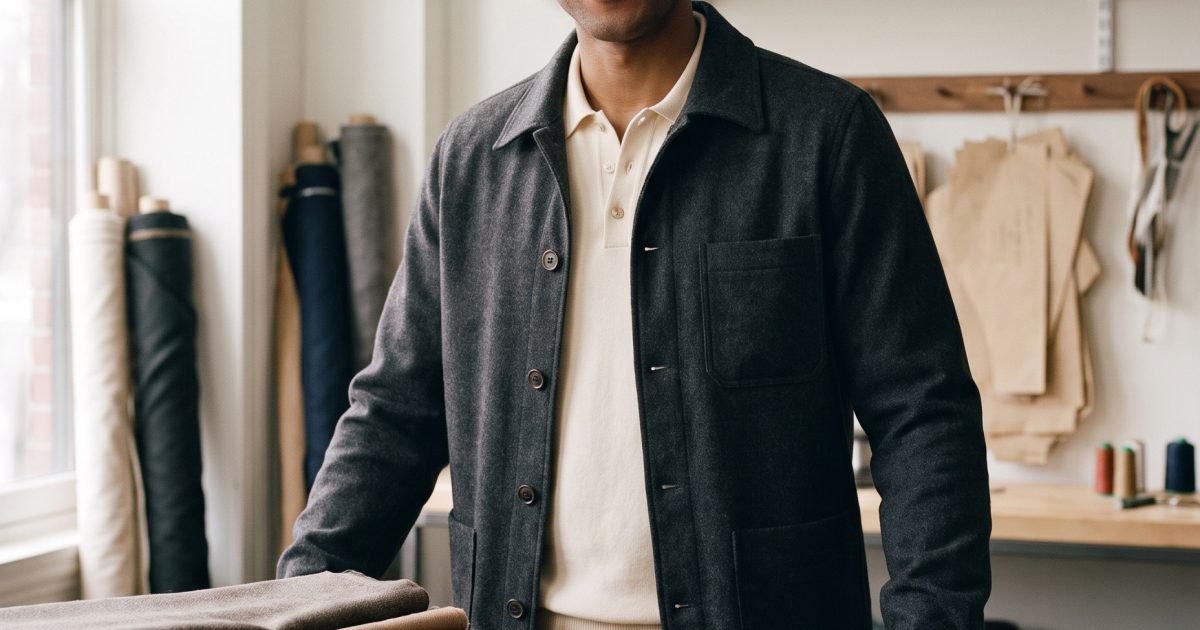
This Tailor Shop Gemini AI Photo Prompt turns a simple studio portrait into a considered menswear editorial when a sharp local-business or style image is needed.
Tailor Shop Gemini AI Photo Prompt Before and After
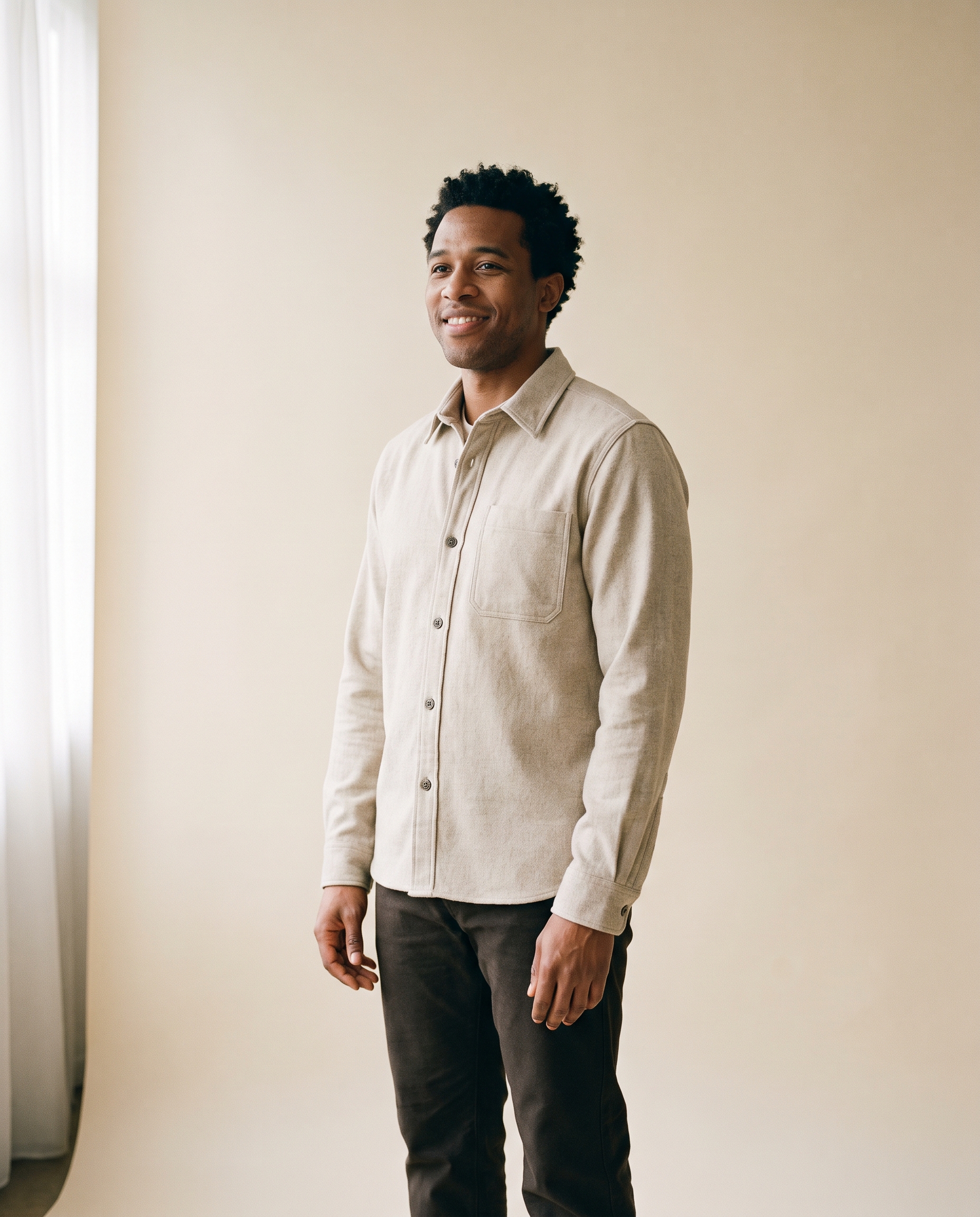
This edit starts with a fictional adult portrait, not a real client photo. The source has visible hands, plain clothes, and enough space around the body to support a wardrobe and background change. The main prompt keeps the person stable, then gives the model a short list of believable shop details. It is a useful structure for any portrait that needs a new professional context.
Before
After: Neighborhood Tailor
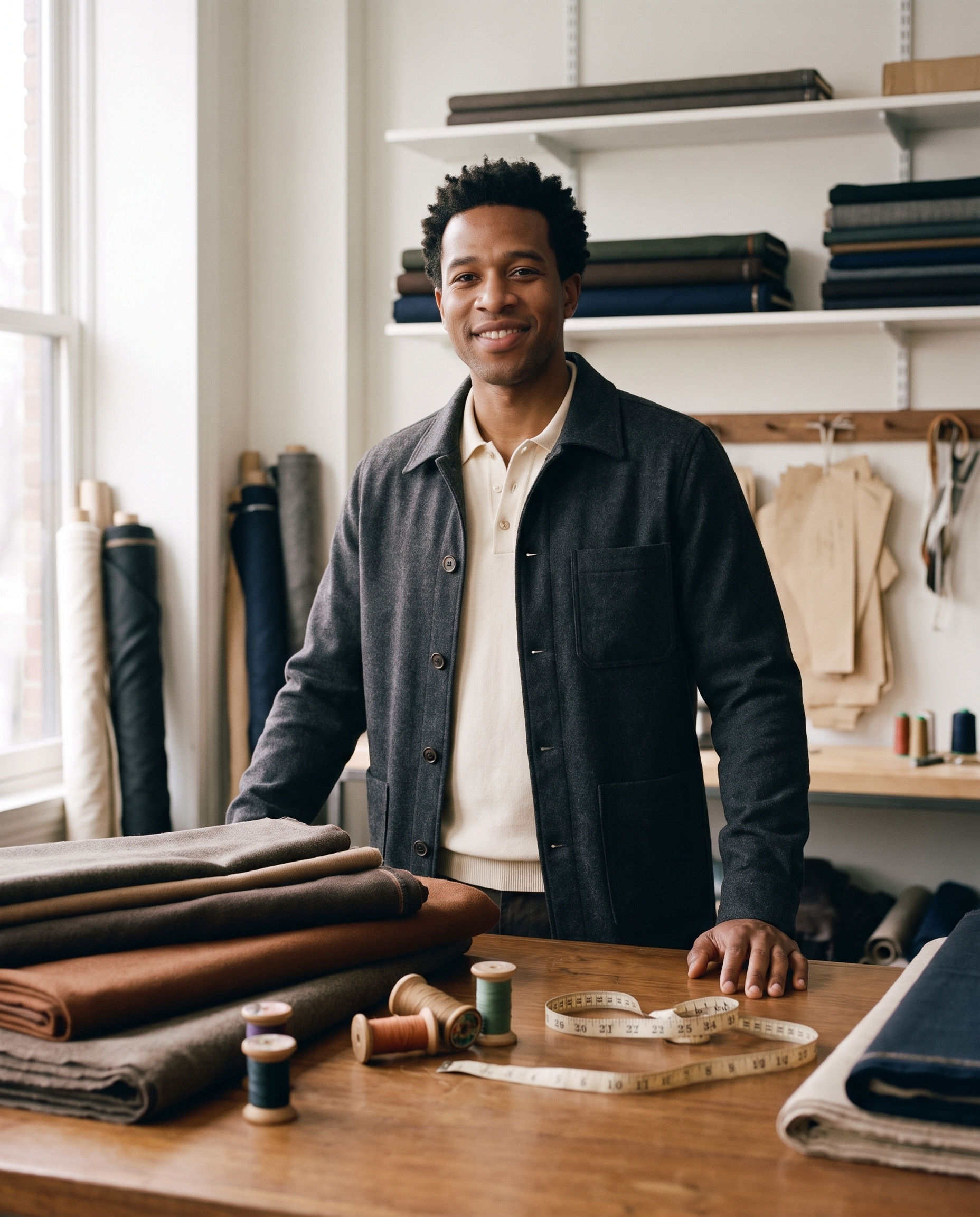
Edit the input portrait into a refined neighborhood tailor shop editorial. Keep his face, expression, body proportions, hairstyle and natural skin texture unchanged. Dress him in a charcoal chore jacket over a cream knit polo. Place him beside a wooden worktable with folded fabric, thread spools and a vintage measuring tape. Window light, 85mm menswear photography, realistic hands and fabric texture, no text or logos.Settings: Google Nano Banana Pro, image-to-image, 4:5, 2K, safety OFF. Input image: the Before portrait above.
Variations
Both variations retain the same source identity but give the setting a different job. The barbershop version feels like a campaign image. The record shop version trades polish for an after-rain film mood.
Modern Barbershop
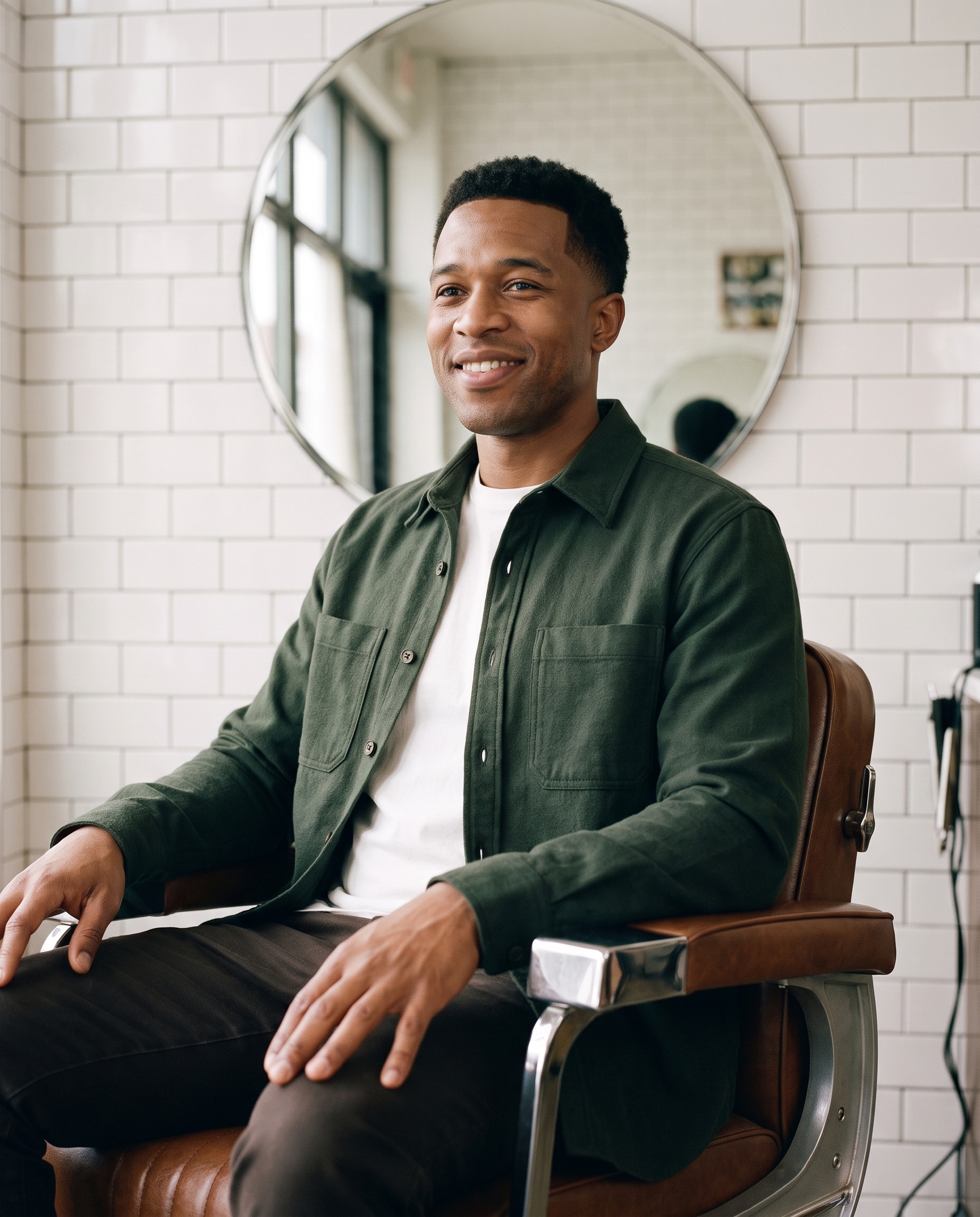
Edit the input portrait into a modern barbershop campaign photo. Keep his face, expression, body proportions, hairstyle and natural skin texture unchanged. Give him a dark green overshirt and clean tapered haircut, seated in a vintage barber chair with tiled walls and a round mirror. Soft side light, direct-flash detail, 50mm editorial photography, realistic hands, no text or logos.Settings: Google Nano Banana Pro, image-to-image, 4:5, 2K, safety OFF. Input image: the Before portrait above.
After-Rain Record Shop
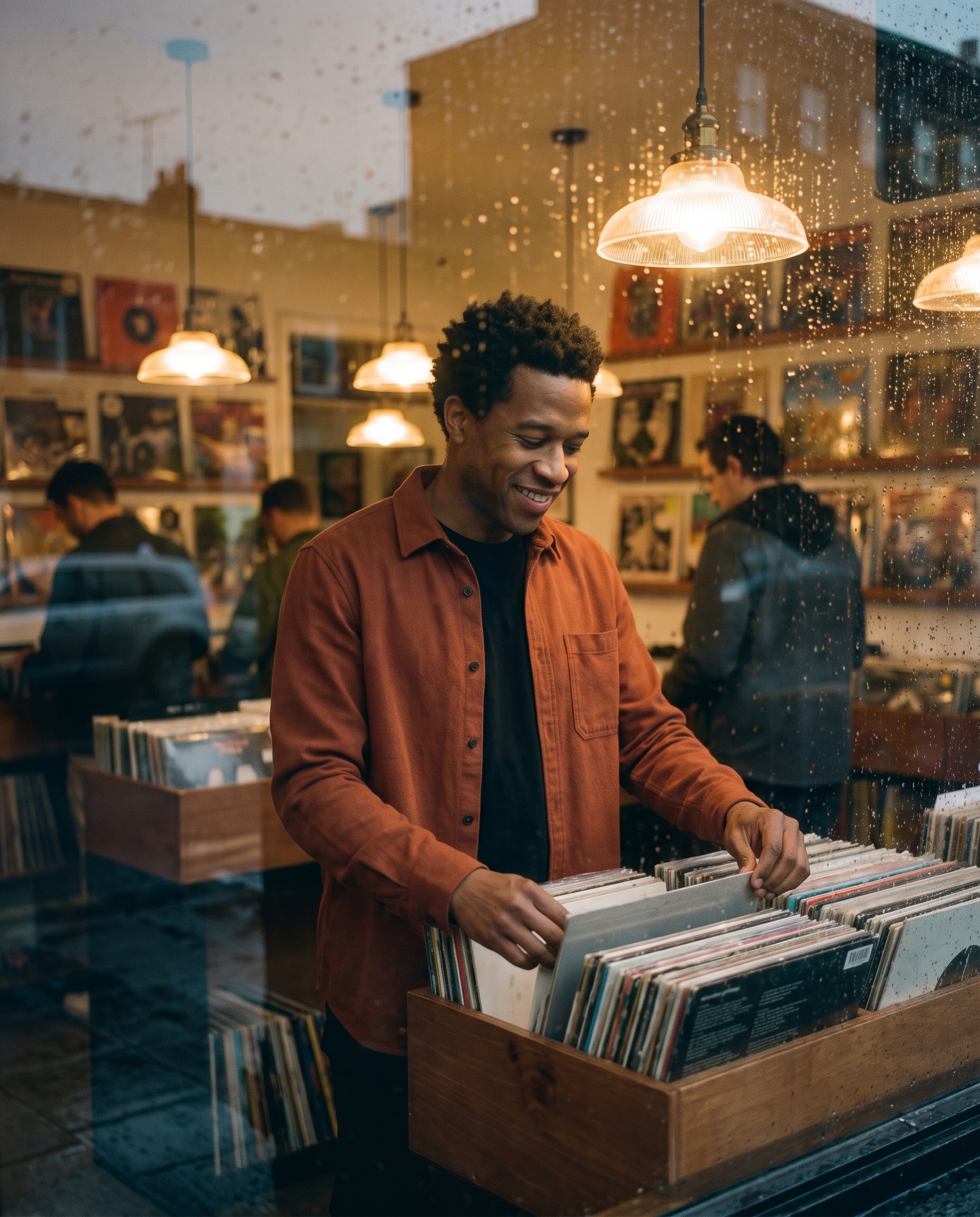
Edit the input portrait into a small record shop portrait after rain. Keep his face, expression, body proportions, hairstyle and natural skin texture unchanged. Dress him in a rust overshirt and black tee, browsing a record bin under warm tungsten lamps with rain on the front window. Moody 35mm film photography, natural fingers holding one vinyl sleeve, realistic reflections, no text or logos.Settings: Google Nano Banana Pro, image-to-image, 4:5, 2K, safety OFF. Input image: the Before portrait above.
Why this Tailor Shop Gemini AI Photo Prompt works
- The preservation request appears before the new clothing and setting.
- Specific shop props make the location feel grounded instead of generic.
- The wardrobe pairs colors and materials that fit the warm wood scene.
- An 85mm cue supports an editorial portrait without forcing a dramatic pose.
- The prompt calls out hands because one hand remains near the worktable.
Keep the source image bright and avoid heavy filters before editing. Clear input makes it easier to judge which details came from the prompt. Google documents image editing and multi-image input patterns in its official image generation documentation.
How to tune the shop edit
Make the source portrait do some of the work. A plain shirt, clean background, and visible hands give the edit stable material to preserve. This prompt asks for a charcoal jacket and cream knit because both read clearly against warm wood. If the jacket looks too formal, change chore jacket to overshirt and keep the rest of the prompt untouched. Small wardrobe swaps are easier to judge than a full character rewrite.
Use props that belong to the location. Folded fabric, thread spools, and a measuring tape say tailor shop without filling the frame. Keep the prop list short so hands and facial detail stay the priority. For a more casual image, switch window light to soft fluorescent shop light and ask for a 50mm lens. For a magazine-like result, retain the 85mm cue and leave more negative space around the subject.
Inspect the output at full size before using it. Look at fingertips around the tape or vinyl sleeve, sleeve seams, mirror edges, and reflections in the shop window. If one detail fails, a focused repair prompt is usually better than recreating the whole composition. Showing the original source beside the edit also makes it clear what Nano Banana Pro changed and what it successfully left alone.
More Gemini AI photo prompts
Find more transformations in Gemini AI Photo Prompts. Try Golden Hour Headshot for a formal profile image. Open Copper Bob Portrait for a targeted hair change. Use 90s Film Portrait for a cinematic indoor scene. For more general image work, browse Nano Banana Pro Prompts.
Run this prompt yourself
Every example above was generated on Wiro. Paste the prompt, pick the model, and get your own result.



1 Comment